From Garmin to Google: Google Fitbit Air Review After One Week
For the past 4+ years, I’ve been wearing a Garmin vivosmart 5 to track steps, heart rate, SpO2, etc. In many respects, this device has done everything I’ve needed it to do, and it has held up well through many runs, hikes, and other adventures. However, after years of wear and tear, it started showing its age with symptoms such as dead pixels and charging difficulty.
A couple of weeks ago, I was hiking the DeCaLiBron loop, and I noticed afterwards that none of my heart rate data was tracked! The green heart rate monitoring LEDs wouldn’t even turn on until I reset the watch. I don’t totally fault Garmin for this — like I mentioned, it is an old device. Nevertheless, I decided it was time I found a replacement.
My go-to replacement for this tracker would be a vivosmart 6… if such a device existed. For some reason, Garmin (as of Aug. 12, 2026) has not released or announced a successor to the vivosmart 5. Anyways, the point of this discussion is that without an obvious replacement for my existing watch, I needed to do some market research to discover my options.
Choosing a fitness tracker can be a bit overwhelming due to the number of options: full-size smart watches (e.g., Apple Watch, Pixel Watch, Garmin fenix, etc.), fitness trackers with screens (vivosmart 5, Fitbit Charge 6, etc.), and trackers without screens (WHOOP, Fitbit Air, etc.). Years back, when I bought my vivosmart 5, the idea of going screenless seemed very unappealing. However, I’ve learned to love & hate the vivosmart’s screen. For all of the convenience that screens offer, running water can inadvertently manipulate the touch screen and trigger unwanted behavior, notifications can be intrusive at inconvenient times (I know, I know, I should just remember to turn on “Do Not Disturb”), you have to worry about the screen getting damaged, and the display adds to the overall cost/weight/size of the product.
So, after experiencing all of the pros/cons of a display, I was open to the idea of a screenless tracker. I looked through several options, but the two that appealed most were the Fitbit Air and Garmin CIRQA. The CIRQA appealed to me as it would allow me to stay within the Garmin ecosystem, but without any compelling feature differences over the Fitbit Air (at least for my personal use-case), the 2x price tag was difficult to justify. And so I ordered a Fitbit Air. (Side note: although Garmins and Fitbits are similar in many ways, the corresponding ecosystems place different emphases on health, wellness, and athletics. Depending on your personal motivations for wearing such a device, one may appeal much more strongly than the other.)
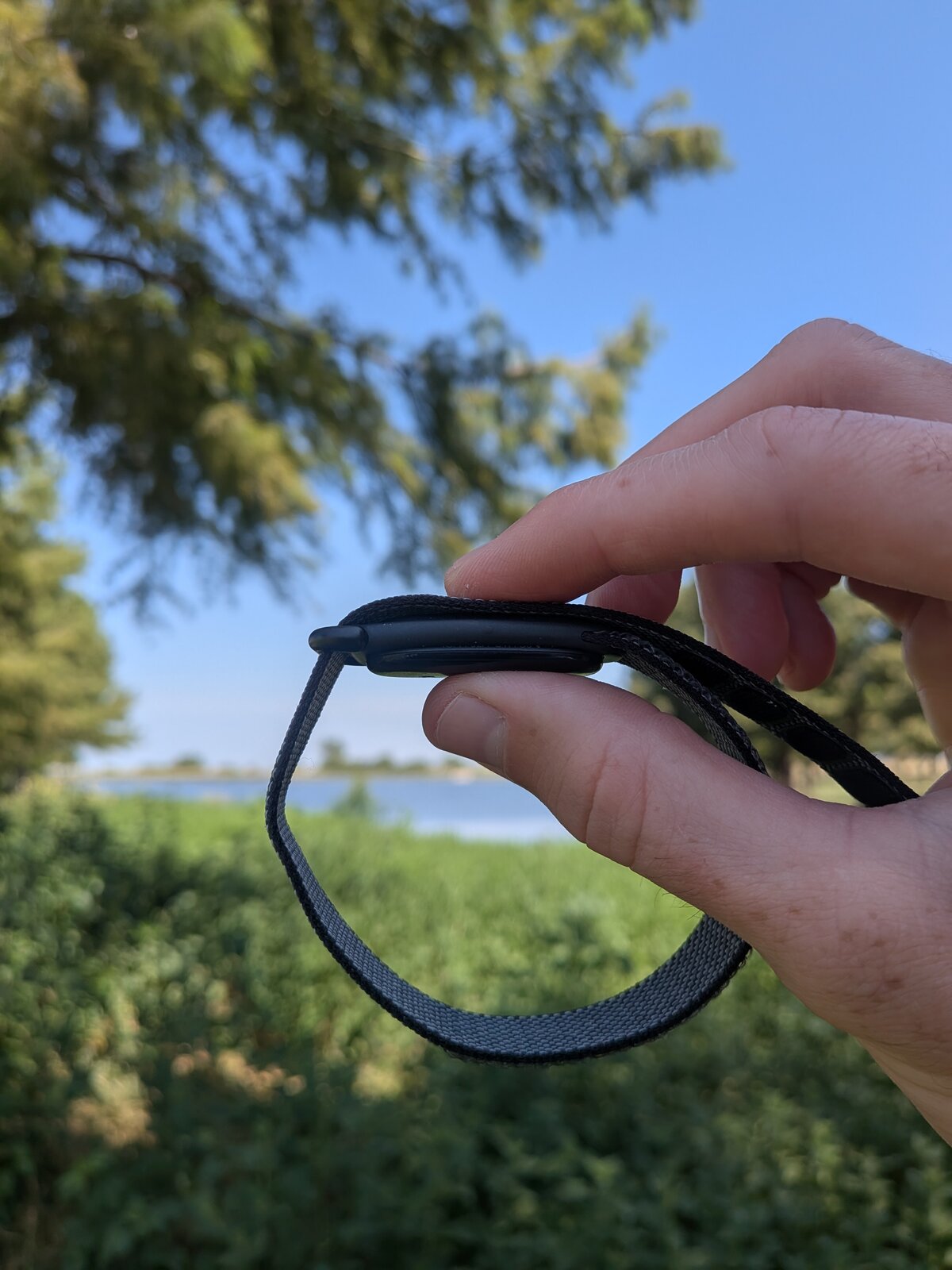
After a week of daily use, I have no complaints or regrets. (Well, actually I have one minor complaint if you skip to the end.) I almost miss being able to check the time on my wrist, but I switched my phone to screen-always-on-mode (“screen-on” except when the proximity sensor is covered), and I simply leverage my phone more. The screen of the vivosmart is tap-to-wake, so checking the time was never “instantaneous”, anyways. There are printable adapters for attaching the Air pebble to a regular wrist watch, but for now I’m enjoying the OEM strap. Google has actually facilitated the design of these custom adapters by releasing CAD drawings and design guidelines. Kudos to Google!
Although I haven’t done a detailed analysis of the Air’s accuracy (step count, heart rate, etc.), the numbers I get are very similar to what I was used to seeing on my vivosmart. And I know this is very anecdotal / unscientific of me, but there are plenty of quantitative assessments available online for those who are interested (maybe I’ll do my own “study” in the future…).
All of the above being said, here is what I like the most: the Air is extremely comfortable and lightweight. The Air is like… well, air! Of every wrist-device I’ve worn, it is by far the easiest to put on and forget about. It does everything I want it to do, it looks nice, and it feels great. What more can you ask for? Additionally, I have a mild nickel-allergy that prevents me from wearing many wrist-based products. I was a bit worried about the stainless steel component on the Air’s strap, but so far I haven’t had any issues with it. The black finish on my obsidian-style band may provide an effective skin/metal barrier, and it helps that the stainless steel loop doesn’t directly contact skin (at least for how I wear the strap). Though the two charging contacts may also contain nickel (I couldn’t confirm this), they don’t contact skin either.
One final aspect I’ve really enjoyed is using the Google Health Android app. The Garmin app is not bad, but it doesn’t come with a widget or as much customizability. I do wish the Google Health widget or the Google battery widget would let me see the Air’s battery % (as is the case with the Pixel Buds, from what I’ve seen). As of now, this has been my only true complaint, and I’m hoping this is addressed in a future software update.
Anyways, if you’re considering the Air, I hope I’ve given you something helpful to think about. And whether you get a Garmin, Fitbit, or Apple, the most important thing is to stay active and healthy. :)